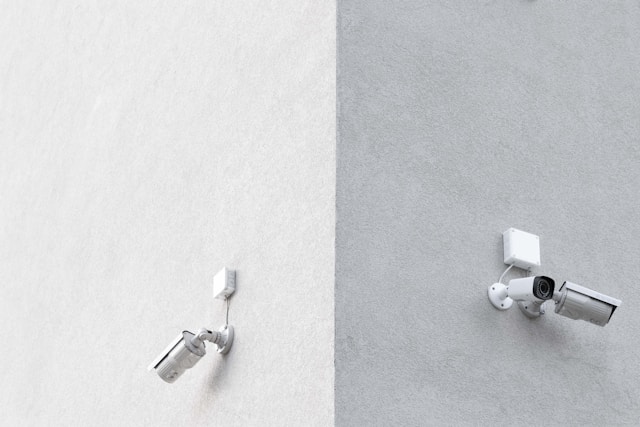
Office CCTV: What Every Workplace Should Monitor
Security in the modern workplace is a balancing act. Employers must protect their physical assets, ensure the safety of their staff, and maintain operational efficiency, all while respecting the privacy rights of their employees. Central to this strategy is the deployment of Office CCTV. A well-planned surveillance system acts as more than just a deterrent to theft; it is a vital tool for business intelligence, dispute resolution, and regulatory compliance. However, simply scattering cameras in random corners is a waste of resources. To get a return on investment and truly secure your premises, you need a strategic approach to monitoring. You need to know exactly what to watch, why you are watching it, and how to do so legally.
The effectiveness of Office CCTV lies in its placement. It requires a thoughtful analysis of your office’s layout, traffic flow, and vulnerabilities. Monitoring the wrong areas can lead to blind spots where incidents occur unnoticed, or conversely, create a “Big Brother” atmosphere that kills morale and invites legal trouble. This article provides a comprehensive guide on the critical zones every workplace should monitor, explaining the security logic behind each choice and how to navigate the sensitive landscape of workplace privacy.
Securing the Perimeter with Office CCTV
The first line of defense for any business is its perimeter. Before a threat can impact your internal operations or compromise your data, it must first cross the threshold of your building. Therefore, your Office CCTV strategy must begin at the entry and exit points.
Monitoring Main Entrances and Exits
The reception area or main lobby is the busiest part of any office. It is the funnel through which every employee, client, delivery driver, and potential intruder passes. High-resolution cameras here are non-negotiable. They serve a dual purpose: identification and verification. In the event of a security breach, the footage from the main entrance is often the first piece of evidence law enforcement will review to identify the perpetrator.
Effective Office CCTV at entrances should be positioned to capture clear facial images, regardless of lighting conditions. Backlighting from glass doors can often turn entering figures into silhouettes, so utilizing cameras with Wide Dynamic Range (WDR) technology is essential. Beyond security, monitoring this area helps in managing visitor logs and verifying time-and-attendance records, ensuring that the people entering your secure environment are authorized to be there.
Emergency Exits and Loading Bays
While the front door gets all the attention, the back door is often where the real risk lies. Fire exits and loading bays are common points of unauthorized entry—or unauthorized exit with stolen goods. These areas are typically less populated, giving bad actors the privacy they need to operate.
Your Office CCTV system must cover these service entrances comprehensively. Monitoring loading bays helps preventing “shrinkage” where inventory disappears during delivery or dispatch. It also ensures safety protocols are followed during the loading of heavy equipment. For emergency exits, cameras should be linked to alarm systems. If a fire door is opened effectively “propping” the building open, the camera should not only record the event but trigger an alert to security personnel. This integration turns a passive recording device into an active security guard.
Protecting Assets: Office CCTV in Critical Zones
Once inside the building, the focus of surveillance shifts from access control to asset protection. Every office has nerve centers—areas that house sensitive data, expensive hardware, or financial records. These are high-value targets that require dedicated monitoring.
Server Rooms and IT Infrastructure
In the digital age, your server room is the brain of your organization. A physical breach here can be catastrophic, leading to data theft, system sabotage, or expensive hardware damage. Consequently, Office CCTV coverage inside and outside the server room is mandatory.
Cameras should monitor not just the door, but the server racks themselves. This provides an audit trail of everyone who accessed the hardware. If a server goes offline due to physical tampering, you can review the footage to see exactly which technician was working on the rack at that time. This accountability is crucial for IT compliance standards like ISO 27001, which often mandate strict physical security controls for information processing facilities.
Storage Rooms and Inventory Archives
Whether it is a closet full of laptops and office supplies or a secure archive containing physical contracts and legal files, storage areas are prime targets for internal theft. It is far too easy for a box of toner cartridges or a spare tablet to go missing if no one is watching.
Deploying Office CCTV in these storage zones acts as a powerful deterrent against opportunistic theft. Employees are far less likely to pilfer supplies if they know a camera is recording their actions. Furthermore, this footage can be invaluable for inventory management. If stock counts are consistently off, reviewing the video can reveal whether the issue is theft, vendor error during delivery, or simple administrative mistakes.
Operational Efficiency and Workplace Safety
Beyond theft and security, Office CCTV is increasingly used to ensure the physical safety of employees and to optimize how the office space is utilized. This shifts the focus from “catching bad guys” to “protecting good people.”
Monitoring Workspaces and General Office Areas
Placing cameras in open-plan working areas is a sensitive topic, but when done correctly, it serves legitimate business interests. The goal here should never be to micromanage employees or count how many minutes they spend at their desks. Instead, Office CCTV in general work areas should focus on wide-angle views that ensure safety and resolve disputes.
For example, if an employee claims they slipped and fell in the hallway, video footage can verify the accident for insurance and workers’ compensation claims. If harassment or bullying is reported between colleagues, Office CCTV can provide objective evidence to support HR investigations, ensuring a fair resolution for all parties involved. However, it is vital that these cameras do not capture computer screens or sensitive documents on desks, as this crosses the line into privacy intrusion.
Cafeterias and Break Rooms
Common areas like kitchenettes and break rooms are social hubs, but they are also hotspots for interpersonal conflict and petty theft (like the infamous stolen lunch). While you don’t need military-grade surveillance here, a visible Office CCTV presence can maintain decorum.
Monitoring these areas also helps in maintaining hygiene and safety standards. For instance, if a kitchen appliance malfunctions and causes a small fire, cameras can help identify the cause and ensure that evacuation protocols were followed correctly. It helps facility managers understand usage patterns—knowing when the cafeteria is busiest can help in scheduling cleaning crews effectively, ensuring a pleasant environment for staff without disrupting their breaks.
Navigating Privacy Laws with Office CCTV
The power of surveillance comes with significant legal responsibility. You cannot simply record whatever you want. In many jurisdictions, employees have a reasonable expectation of privacy, and violating this can lead to severe legal penalties and reputational damage.
Zones of Absolute Privacy
There are places where Office CCTV must never be installed. Restrooms, changing rooms, and lactation rooms are zones of absolute privacy. Installing cameras in these areas is almost universally illegal and is a gross violation of human dignity. Even placing a camera in a hallway that points directly into a restroom when the door is opened can be problematic.
Furthermore, audio recording is often subject to stricter wiretapping laws than video recording. In many places, recording conversations without the consent of at least one (or sometimes all) parties is a felony. Therefore, most Office CCTV systems should have audio recording capabilities disabled unless there is a specific, legally justifiable reason to use them, such as in a high-security trading floor where verbal orders must be logged.
Transparency and Notification
To stay on the right side of the law, transparency is key. Covert surveillance—spying on employees without their knowledge—is rarely justifiable in a standard office setting and is often illegal unless authorized by a court order during a specific criminal investigation.
Employers should implement a clear Office CCTV policy that is communicated to all staff. Signs should be posted at entrances stating that CCTV is in operation. The policy should outline why cameras are in place (e.g., for safety and security), where they are located, and how the data will be used and stored. When employees understand that Office CCTV is there to protect them, rather than to spy on them, they are more likely to accept its presence.
Storage and Data Retention for Office CCTV
Deciding what to monitor is only half the battle; you also need to manage the data you collect. High-definition footage consumes massive amounts of storage space.
Determining Retention Periods
How long should you keep the footage? This depends on the purpose of your Office CCTV. For general security, a retention period of 30 to 90 days is standard. This allows enough time to discover an incident (like a theft that happened over the weekend) and review the footage.
However, specific industries may have regulations requiring longer retention. For example, financial institutions may need to keep footage for years. Conversely, data protection laws like GDPR in Europe argue for “data minimization,” meaning you should not keep personal data (which includes video of people) for longer than necessary. Your Office CCTV strategy must define automated deletion schedules to ensure compliance and manage storage costs effectively.
Cybersecurity of the Camera Network
Modern CCTV systems are networked devices, which makes them vulnerable to cyberattacks. A hacked camera can give criminals eyes inside your business or be used as a botnet to attack other networks.
Therefore, the IT security of your Office CCTV infrastructure is just as important as the physical security it provides. This involves changing default passwords on all cameras, keeping firmware updated, and segregating the CCTV traffic on its own secure VLAN (Virtual Local Area Network). It ensures that even if a camera is compromised, the attacker cannot pivot to your main corporate network to steal financial data or intellectual property.
Conclusion
Implementing an effective Office CCTV system is a strategic exercise that requires looking at your business through a lens of risk and responsibility. It is not about covering every square inch of wallpaper with a camera lens. It is about identifying the critical intersections of people, assets, and data.
By focusing on entry points, high-value storage zones, and general safety in communal areas, you build a security ecosystem that deters external threats and mitigates internal risks. When this technical deployment is paired with a strong ethical framework—respecting privacy zones and maintaining transparency—Office CCTV becomes a powerful asset. It fosters a safer, more accountable, and efficient workplace where employees feel protected, and business interests are secured. In the end, the goal of monitoring is not control; it is the peace of mind that allows your business to focus on what it does best.